Stabilization
2-Axis vs 3-Axis Gimbal: UAV Integration Guide
What axis count does and does not tell you, and how to compare two compact architectures on the same airframe.
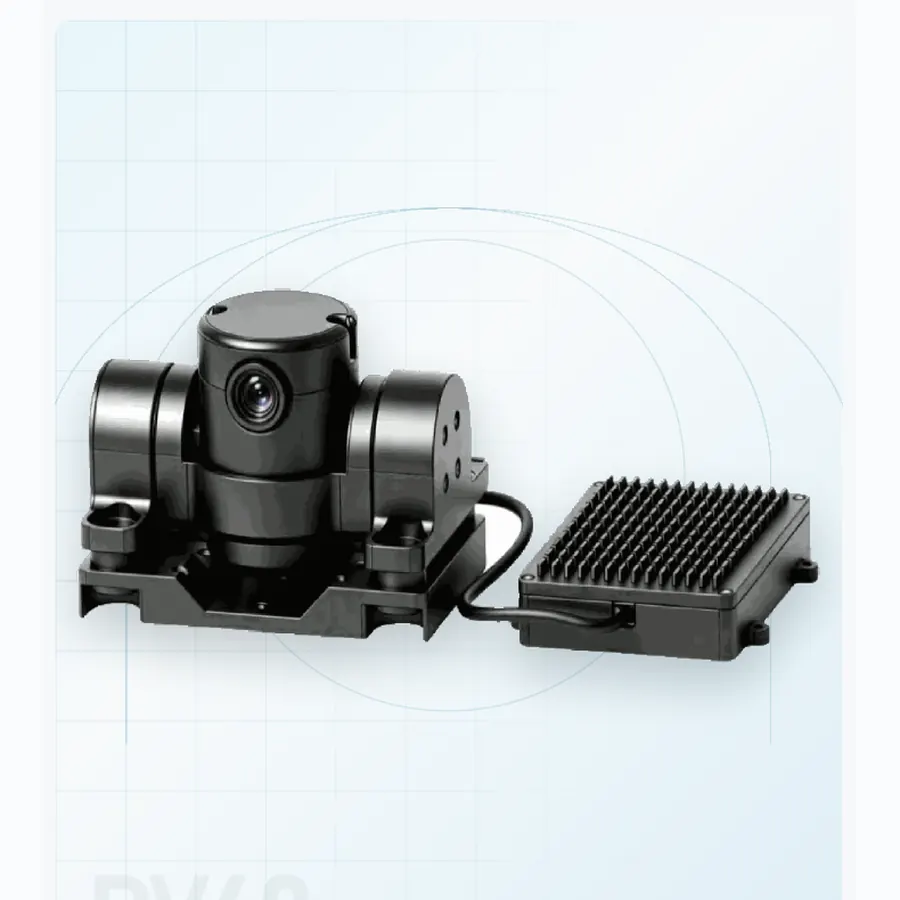
Axis count is one of the easiest gimbal specifications to compare and one of the easiest to misread. A two-axis payload is not automatically less stable, and a three-axis payload is not automatically the right choice for every airframe. The useful question is which disturbances the control system has to reject, and how much mass, volume and power the aircraft can give to that task.
Use the same boundary. Compare installed mass, connector set, isolation mount, power at continuous and peak load, and the actual video interface. A bare camera-head figure is not a payload integration figure.
What the axis count describes
A gimbal axis is a controlled degree of freedom. It does not, by itself, state pointing accuracy, jitter, repeatability or the bandwidth of the stabilization loop. Those are measured behaviours. Two products with the same axis count can therefore behave differently on the same aircraft.
Where a two-axis design may fit
Two-axis architectures are common in low-SWaP interceptors and compact observation payloads. They can be a sensible starting point when the airframe has limited mass and volume, the required field of view provides some tolerance, and the mission does not demand independent correction of every attitude disturbance. The PV40 counter-UAV micro pod and PD80B loitering-munition pod are examples of compact two-axis formats in the range.
That does not make them interchangeable. PV40 is optimized around a visible-light micro-pod role, while PD80B pairs a 25 mm thermal channel with a wide-field visible camera for terminal tracking. Mission geometry and sensor mix still decide the fit.
When three axes matter
Additional controlled axes can help when the aircraft attitude changes quickly, when the operator needs a stable image through a narrow field of view, or when the line of sight must remain usable across a broader manoeuvre envelope. The PD70 compact dual-sensor gimbal is a 250 g-class three-axis format; PT95B and PT130 add three-axis stabilization to tri-sensor airborne payloads.
These are architecture descriptions, not claims that one configuration will outperform another in every flight condition. Actual performance must be checked with the proposed lens, zoom setting, vibration isolation and airframe.
Specifications to compare beyond the axis count
- Pointing behaviour: accuracy against a commanded direction, jitter over time, and repeatability across repeated moves.
- Control envelope: travel limits, maximum rate and behaviour near the limits.
- Optical demand: a narrow zoom setting magnifies residual motion, so stabilization must be judged at the focal length the mission will use.
- Installed SWaP: complete mass, startup and continuous power, connector and harness allowances.
- Recovery: reacquisition after occlusion, loss of track or a rapid platform manoeuvre.
A short verification sequence
Start on a bench with a fixed target at the intended field of view. Record commanded moves, settle time and residual motion at representative zoom. Repeat the same sequence on a vibration table, then on the aircraft. Keep the test file names, firmware revision and mounting configuration with the results. This turns a subjective “looks stable” assessment into evidence that can be compared between suppliers.
Questions for a technical RFQ
- What exactly was included in the stated mass and power figures?
- At which focal length and vibration profile was the stability claim measured?
- What are the control and video interfaces, and which protocol versions are supported?
- How does the gimbal report track loss, thermal warnings and recovery state?
- Which drawings, logs and test records can be released for integration review?
For a broader comparison method, read How to Compare UAV Gimbal Camera Specifications. To map a requirement to a model, use the engineering inquiry form.
Build the installed test matrix
A stabilization comparison is only meaningful when the test conditions are held constant. Use the same target, the same camera settings, the same display and the same aircraft mount for each candidate. Record the firmware, damper, propeller set and payload position. If the airframe changes between tests, the comparison is no longer about the gimbal.
Define four test states: static bench, motors running on the ground, hover or low-speed flight, and a representative manoeuvre. In each state, record a slow pan, a fast slew, a settle period and a steady stare at the target. Repeat at wide angle and at the operational zoom. The wide-angle clip shows the field of view; the zoom clip shows the residual motion that matters for recognition.
Measure residual angular motion in pixels per frame or milliradians, not by subjective impressions. If a measurement tool is not available, use a fixed target with a grid and count the displacement between frames. Keep the display latency out of the measurement by recording at the camera output where possible. The goal is to separate gimbal error from link and display latency.
Separate the disturbance sources
If the image degrades, isolate the cause before changing the gimbal. Run the same profile with a rigid dummy mass in place of the pod. If the vibration changes, the pod mass or mount is exciting the airframe. If the image is stable with the dummy but not with the pod, the gimbal or its damper is involved. If both are unstable, the airframe or propeller balance is the first problem.
Check the cable service loop next. A tight cable can transmit motion into the gimbal or restrict its travel. A loose loop can flap in the airflow. Route the cable with strain relief and repeat the test. Check the mount screws and the damper condition; a soft damper that has compressed unevenly can tilt the pod and reduce its effective travel.
Finally, compare the commanded and actual line of sight. A control loop that lags or overshoots may need tuning, but a mechanical limit or a binding bearing will not be fixed by tuning. Ask the supplier for the intended control bandwidth and the test method used for the published stabilization claim.
Define acceptance in mission terms
A useful acceptance criterion states the target, the zoom, the aircraft condition and the allowed image motion or track error. For example: at the operational zoom, the target must remain within a defined central region during a 10-second steady stare in representative vibration, and the settle time after a 30° slew must be below a stated value. The numbers should come from the mission, not from a generic template.
Record the pass/fail evidence with the flight or bench data. If the result is marginal, note the condition and the corrective action. A marginal result on a calm day may become a failure in wind or at a higher altitude. The acceptance record should tell the next engineer what was actually demonstrated.
For a broader comparison of payload specifications, read the UAV gimbal camera specification guide. For product examples in different mass classes, compare the PV40, PD70 and PT130.
Frequently asked questions
Can a two-axis gimbal be stable enough for a narrow lens?
It can be, if the airframe motion and the required field of view are within the control loop's capability. Test at the actual focal length and vibration profile. A wide-angle demonstration does not answer the question.
Should the damper be as soft as possible?
No. A damper must match the mass and vibration spectrum. Too soft a mount can allow excessive sway or limit travel; too stiff a mount can transmit vibration. Test the complete assembly.
How long should the settle period be?
It depends on the slew and the mission. Define a settle criterion in image motion or time-to-stable, then measure it. A generic “looks stable” judgment is not reproducible.
What if the image is stable on the bench but not in flight?
Investigate the airframe, propeller balance, mount and cable before tuning the gimbal. Flight adds vibration, aerodynamic load and structural motion that a bench cannot reproduce.